| Author |
Message |
lucius
DarkXL Developer

Joined: 17 Feb 2008
|
 Posted: Oct 10, 2010 02:37 Post subject: DarkXL Build 9.03 Released Posted: Oct 10, 2010 02:37 Post subject: DarkXL Build 9.03 Released |
    |
|
So I'm releasing build 9.03 at last... unfortunately it's still in a "test build" state. Basically the new collision stuff is temporarily disabled (it acts like before) - I decided to wait for the next build to get that in, there's already enough to test.
So the other stuff is in - proper wall light values, console and working night vision, but the new renderer still has a few bugs. Basically I'm happy with the system, but have a bug or two that's manifesting itself as rendering glitches in a few places. So I'd like whoever feels like testing to do the following:
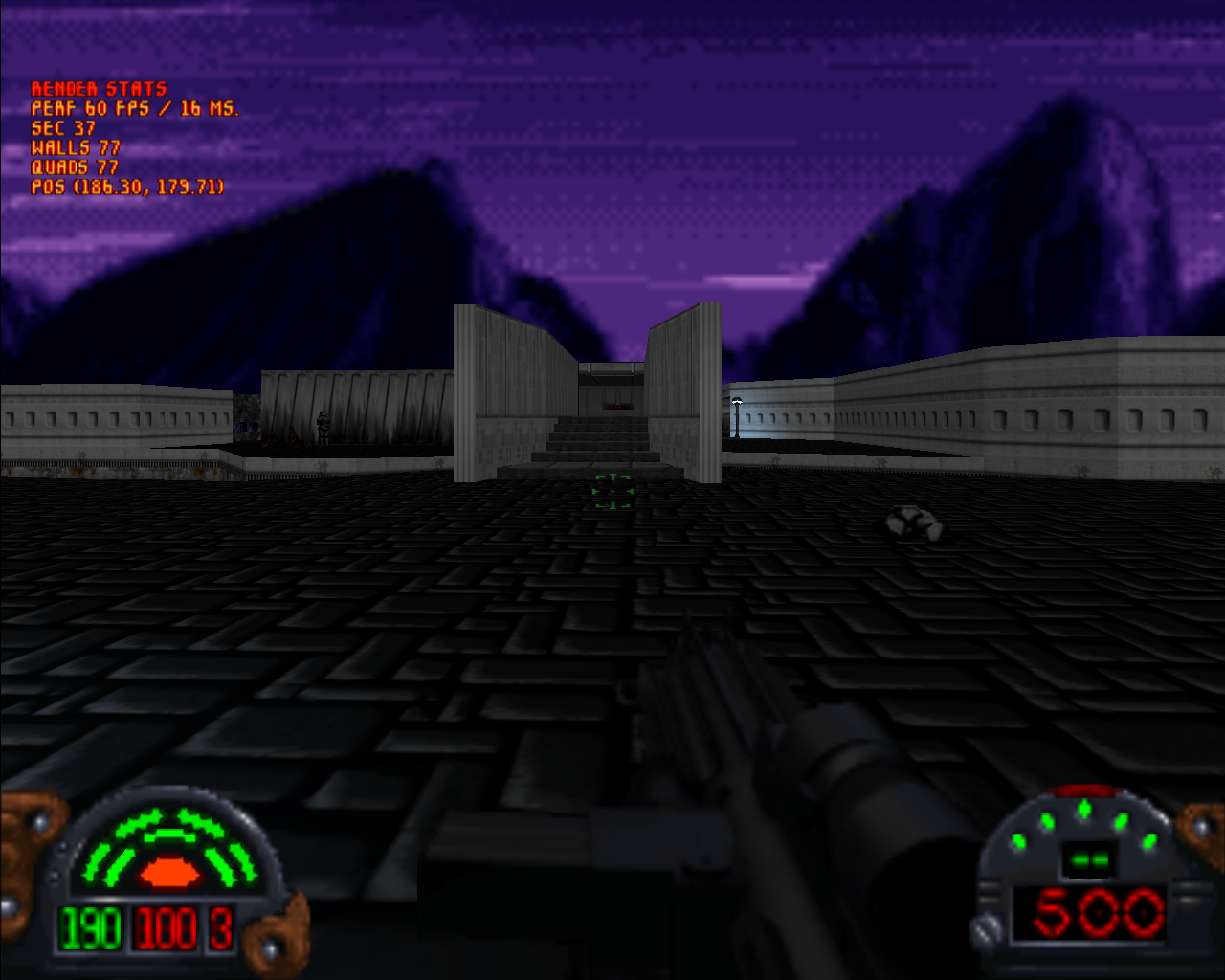
Look through the existing vanilla levels (use -x to access them all) and let me know sector combinations that have issues. When you find an issue, please take a screenshot (F8 key) with the "render stats" enabled, so that I know where to go to reproduce the issue. Also please point out any other render issues while you're at it, such as improper textures or other incorrect rendering so I can get them all straightened out soon too.
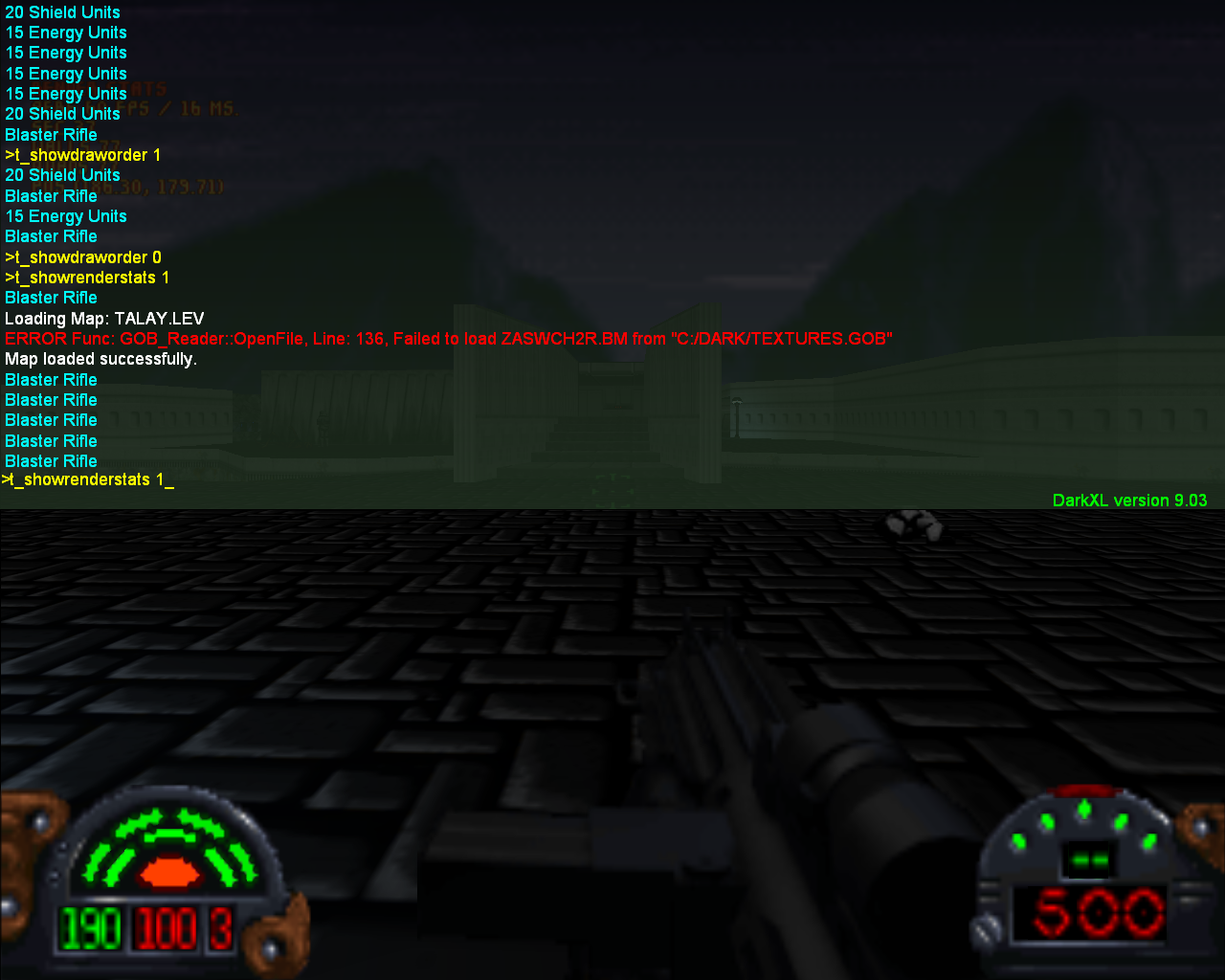
To turn on render stats, bring up the console and type t_showrenderstats 1 at the prompt.
Look at these screenshots:
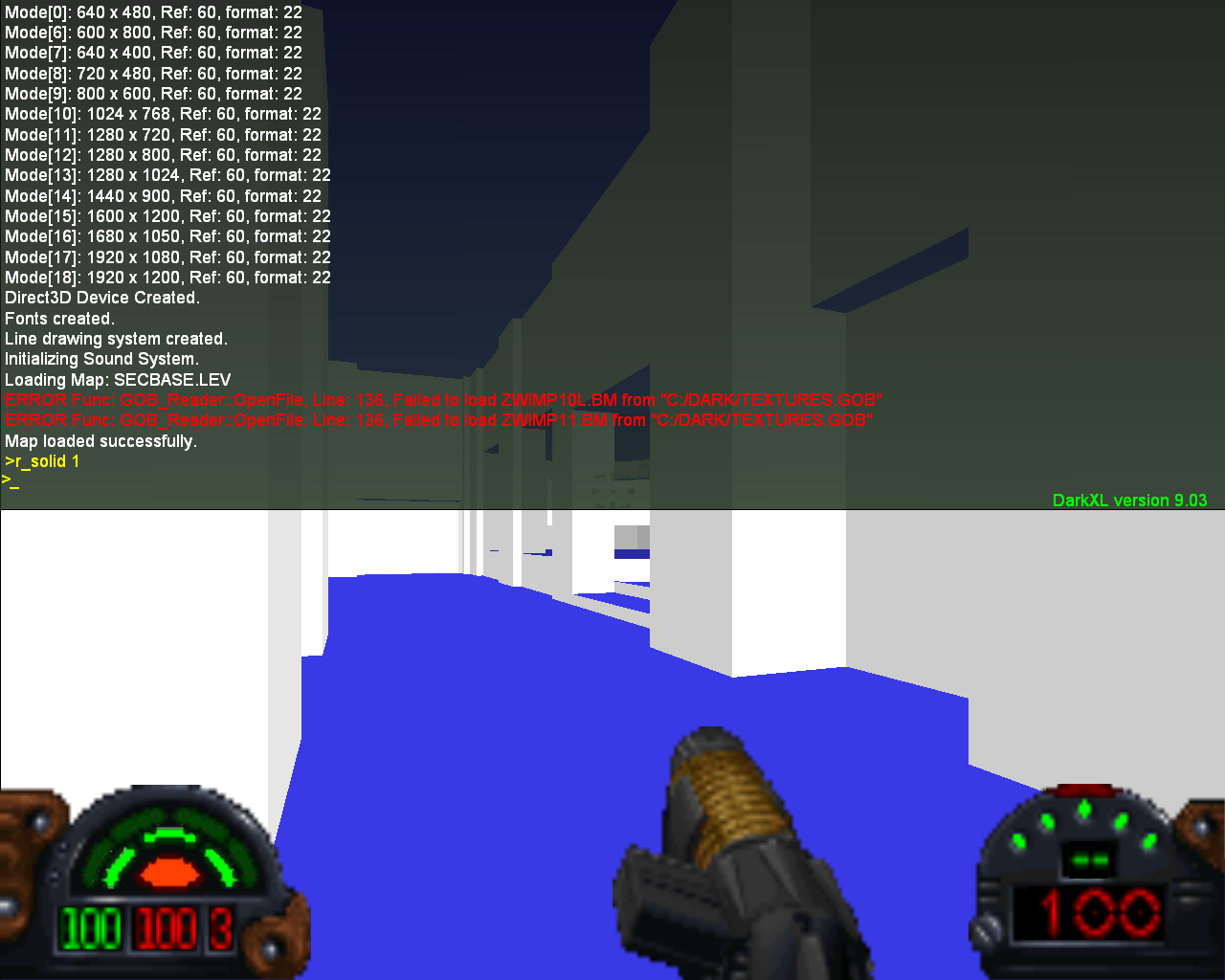
You can also render in solid or wireframe as well. To access solid rendering, type r_solid 1 in the console:
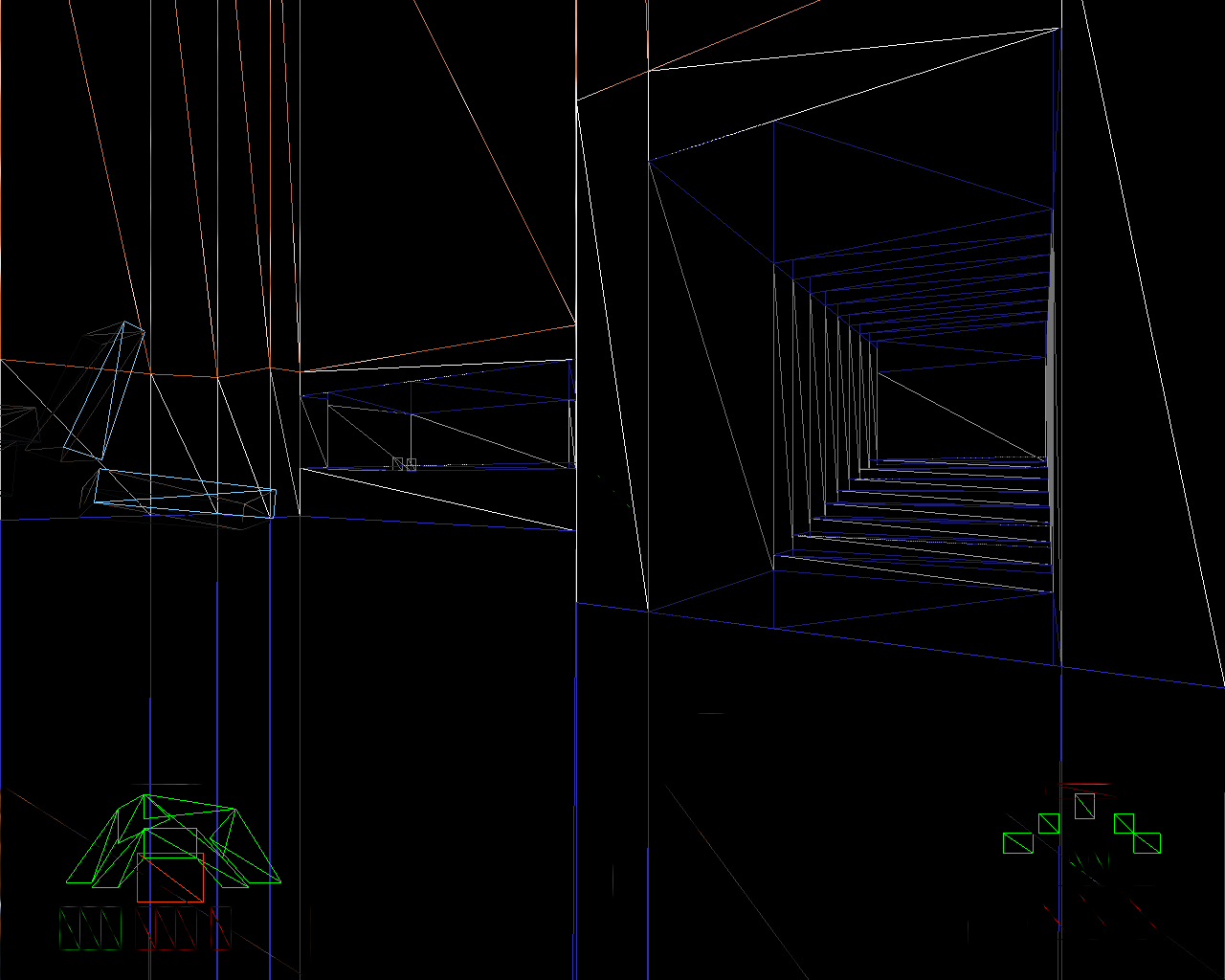
Press F9 for wireframe:
Two areas that I know have issues are the Death Star plans subsector in SecBase and the rotating secret wall in SecBase. Also you can ignore the thin black lines, those will be fixed shortly (precision issues).
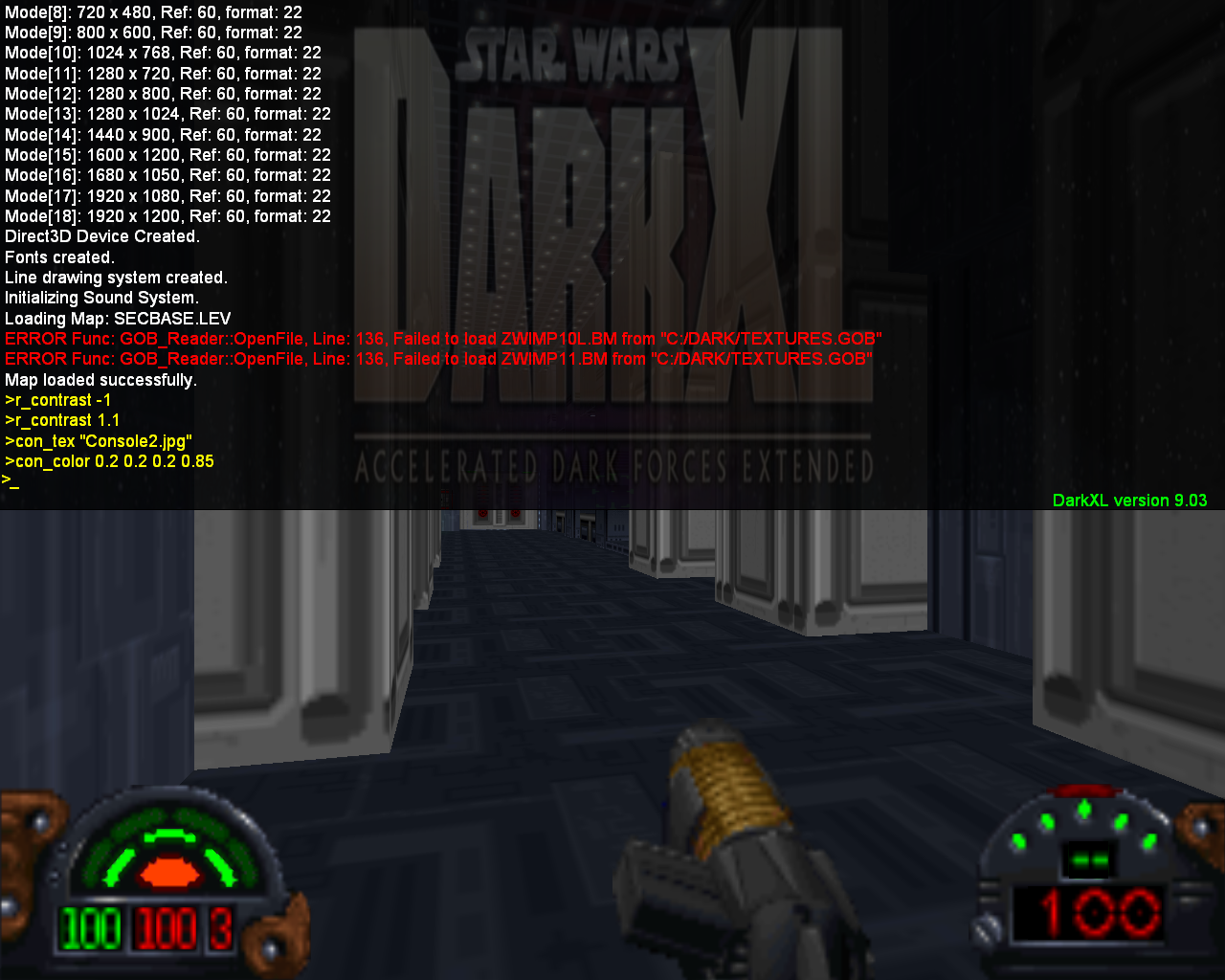
Anyway you can play around with other features in the console, such as setting color and textures:
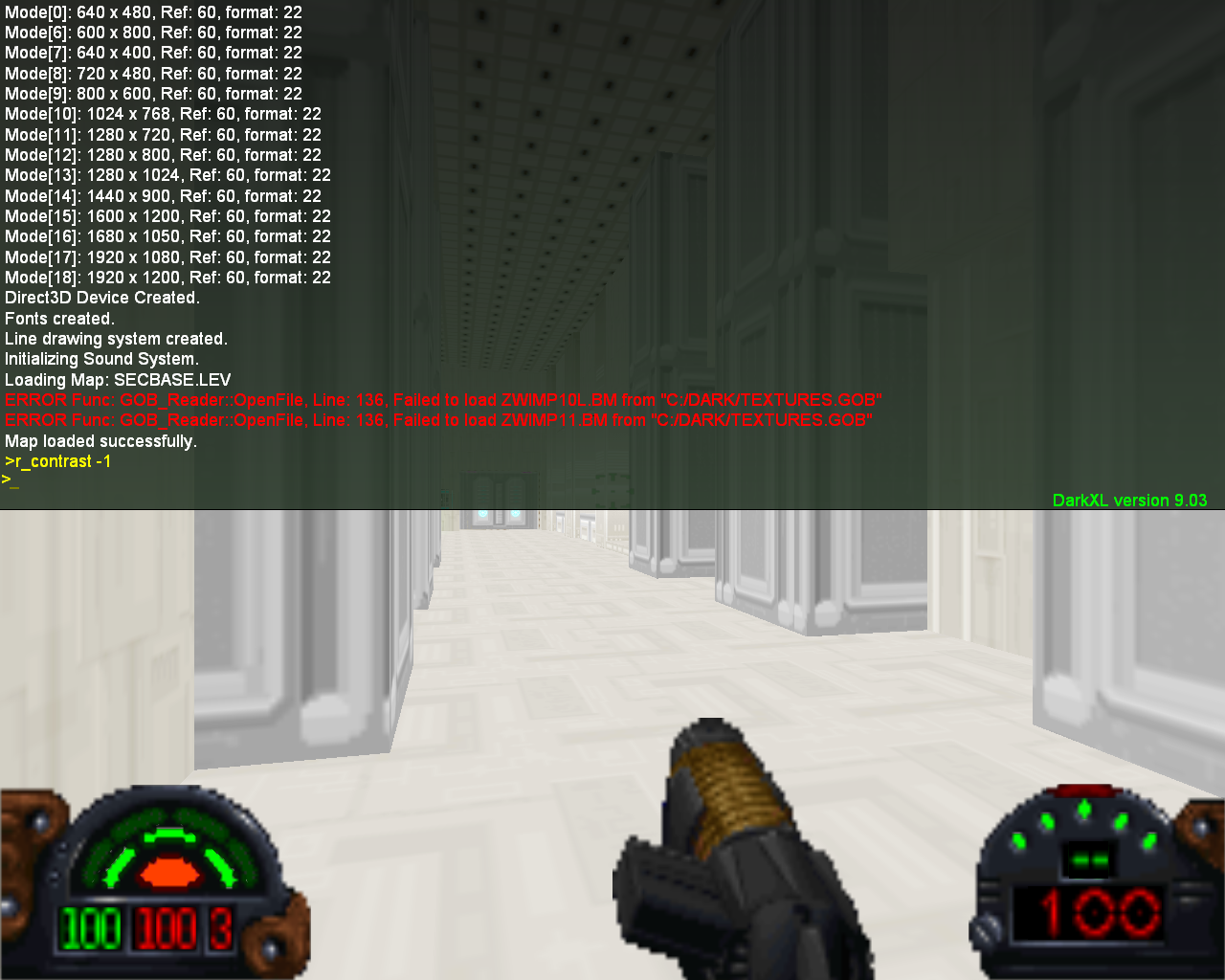
Adjusting contrast (negative values work as shown below):
If you type "help" in the console, it'll tell you the controls. And "cmdlist" shows you all the commands. You can type "help commandName" to get a description of a specific command.
Note that the proper perspective rendering (non-"pure") will be back once I iron out all the bugs. Also I expect performance issues on some systems - no effort at optimization has been taken at all - until everything works correctly (though it's already fast on my laptop). Finally vertical clipping is not enabled - this will reduce the number of portal traversals and number of render sectors but I want to get the current system fully working before enabling the extra complexity. So once everything is ironed out this should be much faster then 9.02 - but may be slower right now on some systems.
So here is the 9.03 Build
_________________
DarkXL....http://darkxl.wordpress.com
Last edited by lucius on Oct 10, 2010 02:56; edited 1 time in total |
|
sheepandshepherd
Trandoshan
Joined: 01 Apr 2008
|
| Posted: Oct 10, 2010 02:47 Post subject: |
|
|
Awesome! 
Downloading now . . . I'll start going through the levels tomorrow.
|
|
lucius
DarkXL Developer
Joined: 17 Feb 2008
|
| Posted: Oct 10, 2010 02:57 Post subject: |
|
|
If you've already downloaded this, please do it again. I've just fixed a bug with the Console font on Vista machines.
_________________
DarkXL....http://darkxl.wordpress.com |
|
dinohog
Dianoga
Joined: 02 Dec 2005
|
| Posted: Oct 10, 2010 05:18 Post subject: |
|
|
So excited about this. Played the first level (on easy for a quick look around and it looks great. I did get the occasional black line down the middle of the screen a little like an old film. Not too bad though and doesn't stop the play. Also, I still seem to get hung up on corners and against walls. Is the collision that is still the old that will be fixed later. Otherwise, absolutely great work Lucius. Very happy to be able to play this.
|
|
lucius
DarkXL Developer
Joined: 17 Feb 2008
|
| Posted: Oct 10, 2010 06:40 Post subject: |
|
|
I'll also point out, before someone else does, that binding, aliasing and exec (with autoexec) are still missing from the console. They will go in soon.
_________________
DarkXL....http://darkxl.wordpress.com |
|
Tsophika
Gamorrean
Joined: 14 Jan 2008
|
| Posted: Oct 10, 2010 09:06 Post subject: |
|
|
Found a couple bad spots. Lots of black lines. Mostly everything looked good! At least you've mastered 'impossible geometry' with that stairwell and intersecting hallway in JABSHIP. 
http://img524.imageshack.us/g/dxlb84cb17b66.png/
|
|
lucius
DarkXL Developer
Joined: 17 Feb 2008
|
|
Lionel Fouillen
Gamorrean
Joined: 27 Sep 2003
|
| Posted: Oct 10, 2010 18:33 Post subject: |
|
|
Lucius,
I just download DarkXL because I was curious to make screenshots of my Archangel levels. I have an issue. DarkXL launches but I get a black screen (the DarkXL window background is black) although I'm running it with '-safe' option. I get the DF credits music OK, although playing a bit too fast.
Since I'm not familiar with DarkXL, I can't really see where to dig and fix it.
thanks
|
|
lucius
DarkXL Developer
Joined: 17 Feb 2008
|
|
Lionel Fouillen
Gamorrean
Joined: 27 Sep 2003
|
| Posted: Oct 10, 2010 19:58 Post subject: |
|
|
Lucius I'm so sorry. Silly me! I forgot to post the essential informations. Here there are:
Windows 7 Ultimate / Intel Celeron M 1.6 GHz / 2 Gb RAM
Graphic card is: Mobile Intel 945 Express Chipset Family
I unsuccesfully tried to use DakXL in the past for lack of system/graphic files. It would simply not launch at all.
This time, I reinstalled DirectX plus an additional OpenAL32.dll file that was still missing after directX installation.
It starts fine, but gives me a black background.
Here is the DXL log:
DarkXL Alpha, Build 9.03
<System::InitLogFile 91> Log File Open
<WinMain 284> Initialize Game.
<Driver3D_DX9::Init 195> Using Sofware Vertex Processing.
<Driver3D_DX9::Init 201> Using Pixel Shader 2.0+.
<Driver3D_DX9::Init 222> Video Mode Count [X8R8G8B8]: 12.
<Driver3D_DX9::Init 251> Mode[4]: 640 x 400, Ref: 60, format: 22
<Driver3D_DX9::Init 251> Mode[5]: 640 x 480, Ref: 60, format: 22
<Driver3D_DX9::Init 251> Mode[6]: 800 x 600, Ref: 60, format: 22
<Driver3D_DX9::Init 251> Mode[7]: 1024 x 768, Ref: 60, format: 22
<Driver3D_DX9::Init 251> Mode[8]: 1280 x 600, Ref: 60, format: 22
<Driver3D_DX9::Init 251> Mode[9]: 1280 x 720, Ref: 60, format: 22
<Driver3D_DX9::Init 251> Mode[10]: 1280 x 768, Ref: 60, format: 22
<Driver3D_DX9::Init 251> Mode[11]: 1280 x 800, Ref: 60, format: 22
<Driver3D_DX9::LoadShaders 1669> LoadShader "ps_texmask8" failed.
<Driver3D_DX9::LoadShaders 1672> LoadShader "ps_texmask12" failed.
<Driver3D_DX9::LoadShaders 1675> LoadShader "ps_texmask16" failed.
<Driver3D_DX9::LoadShaders 1678> LoadShader "ps_texmask24" failed.
<Driver3D_DX9::LoadShaders 1681> LoadShader "ps_texmask32" failed.
<Driver3D_DX9::LoadShaders 1684> LoadShader "ps_texmask48" failed.
<Driver3D_DX9::LoadShaders 1687> LoadShader "ps_texmask64" failed.
<Driver3D_DX9::LoadShaders 1690> LoadShader "ps_texmask96" failed.
<Driver3D_DX9::LoadShaders 1693> LoadShader "ps_texmask128" failed.
<Driver3D_DX9::Init 285> Direct3D Device Created.
<Driver3D_DX9::Init 401> Fonts created.
<Driver3D_DX9::Init 414> Line drawing system created.
<Game::Init 447> Initializing Sound System.
<Driver3D_DX9::Destroy 614> Direct3D Device Destroy.
<System::CloseLogFile 102> Log File Close
Bye,
Lio
|
|
lucius
DarkXL Developer
Joined: 17 Feb 2008
|
| Posted: Oct 10, 2010 22:13 Post subject: |
|
|
Might be a bug with the Software Vertex Processing path. You card doesn't do real hardware vertex processing (even though it advertises that it does if I remember correctly - they just fake it), so there must be an issue with that render path. I'll look into it when I get a chance. Thanks for posting. 
_________________
DarkXL....http://darkxl.wordpress.com |
|
Burning Gundam
Kell Dragon
Joined: 28 Sep 2003
|
| Posted: Oct 11, 2010 01:51 Post subject: |
|
|
I've been too busy to check this out yet, but I'll give it a go once I have some free time. Looks good from what I see though, nice work
_________________
I don't think outside the box... I customize it. |
|
Gez
Gamorrean
Joined: 05 May 2008
|
| Posted: Oct 11, 2010 07:56 Post subject: |
|
|
In level 3, I get stuck in droids that were lurking above me. No proper Z check for collision?
|
|
lucius
DarkXL Developer
Joined: 17 Feb 2008
|
|
|


