| Author |
Message |
lucius
DarkXL Developer

Joined: 17 Feb 2008
|
 Posted: Nov 20, 2010 11:34 Post subject: The Pure Renderer Posted: Nov 20, 2010 11:34 Post subject: The Pure Renderer |
    |
|
The next build will introduce the "Pure Renderer." The point of this renderer is to emulate the software rendered look of the original game, while using hardware to do it. There are several reasons to have this capability:
* Nostalgia - some people want to play the game as it originally looked but still have better compatibility, better performance on modern systems, limit removal (for modding), mouse look (but you'll be able to use keys to) and so on. This would appeal to the "Chocolate Doom" type fans. 
* When tweaking elements of the game I'd like the ability to directly compare DarkXL and DosBox, graphics, controls and all. This way I can get all the default behaviors to be correct but allow users to turn up AI difficulty or other features if they want to. This is directly applicable to the next build, when I finish up all the functionality.
Of course I expect that many people won't play in this mode (I'll mainly use it for testing, I prefer the clean look of the standard renderer) - but some will enjoy it and it's good for testing. And it will be possible to play in higher resolutions with palette support, though the scaling won't be as accurate or faithful to the DOS version.
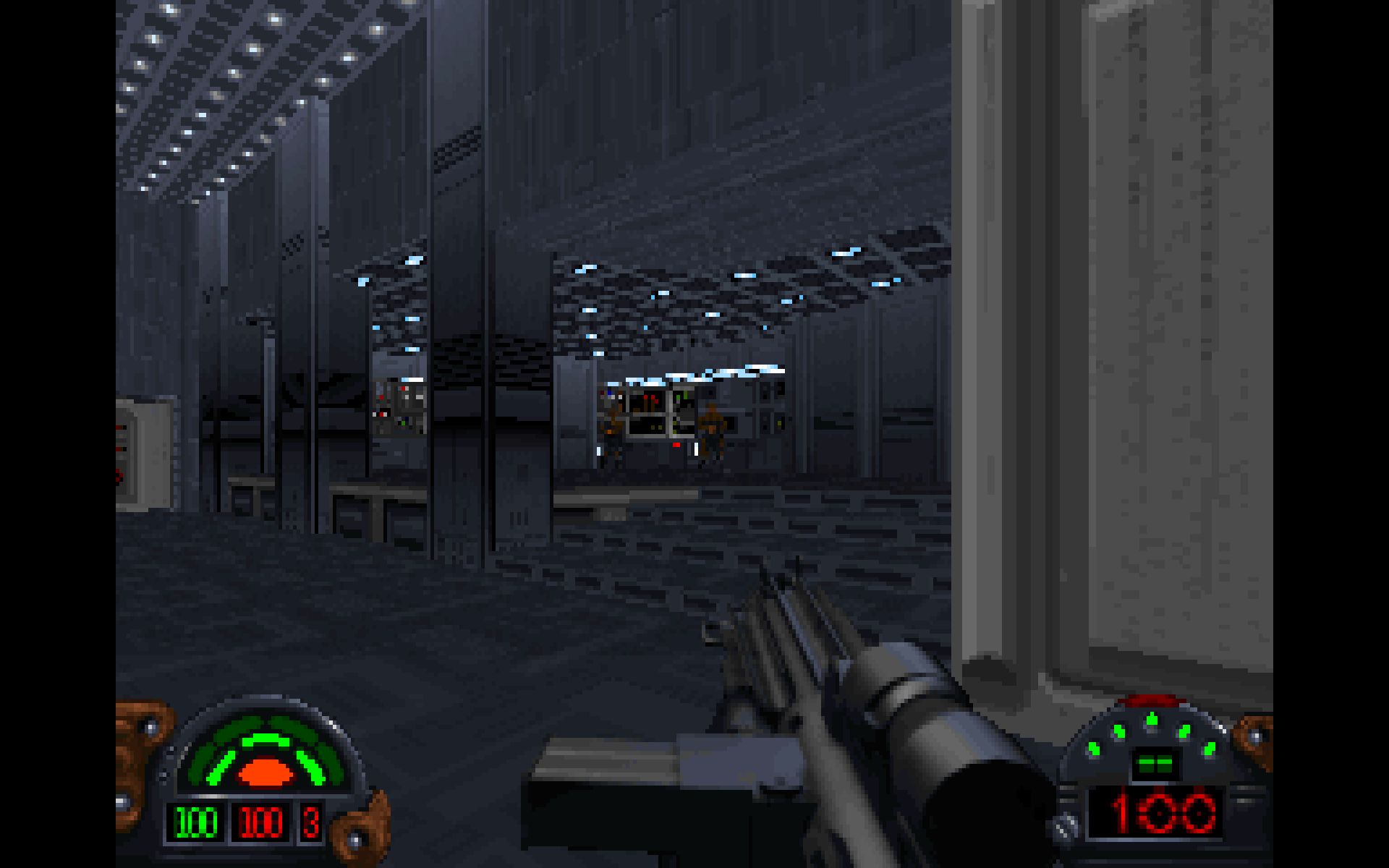
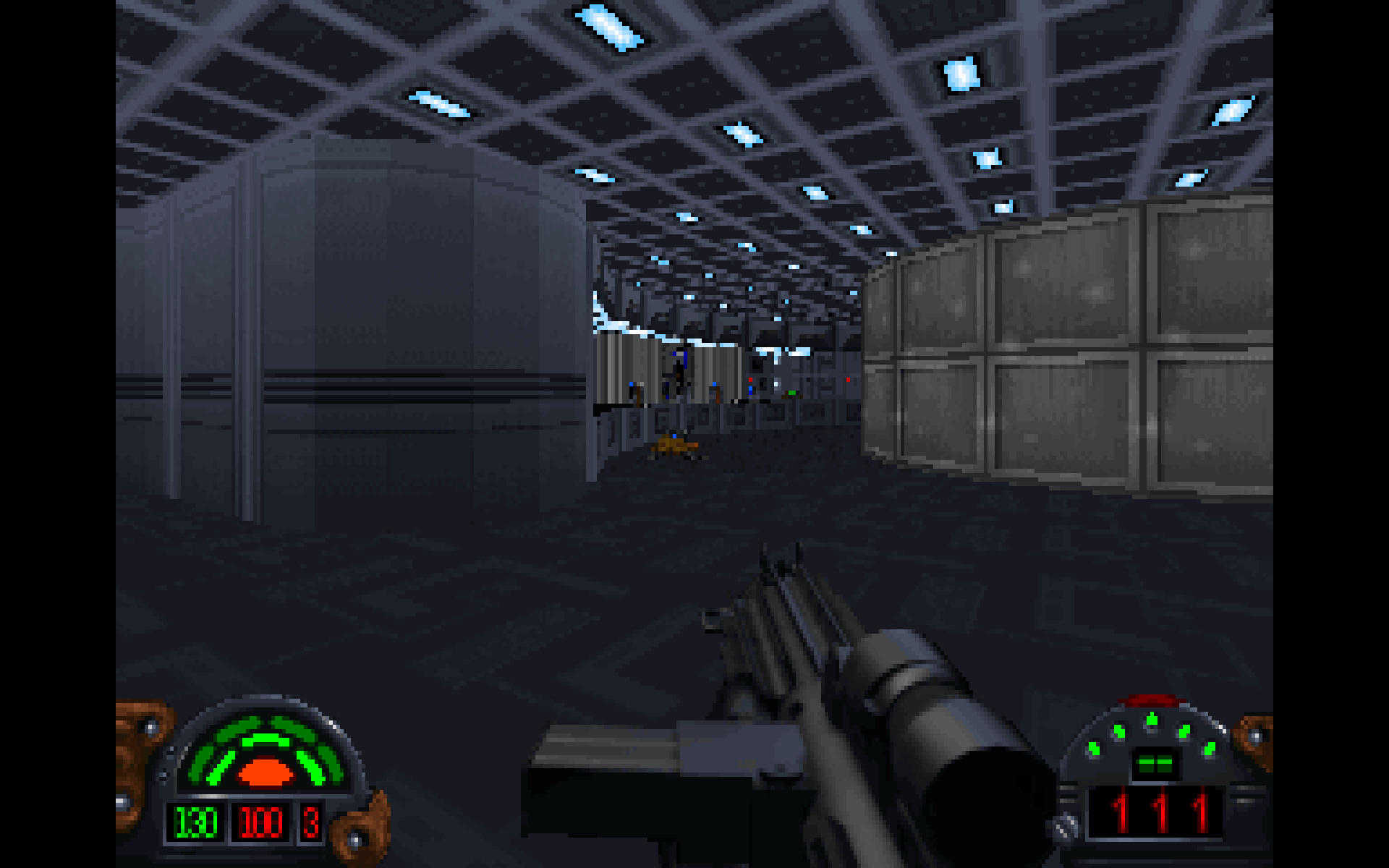
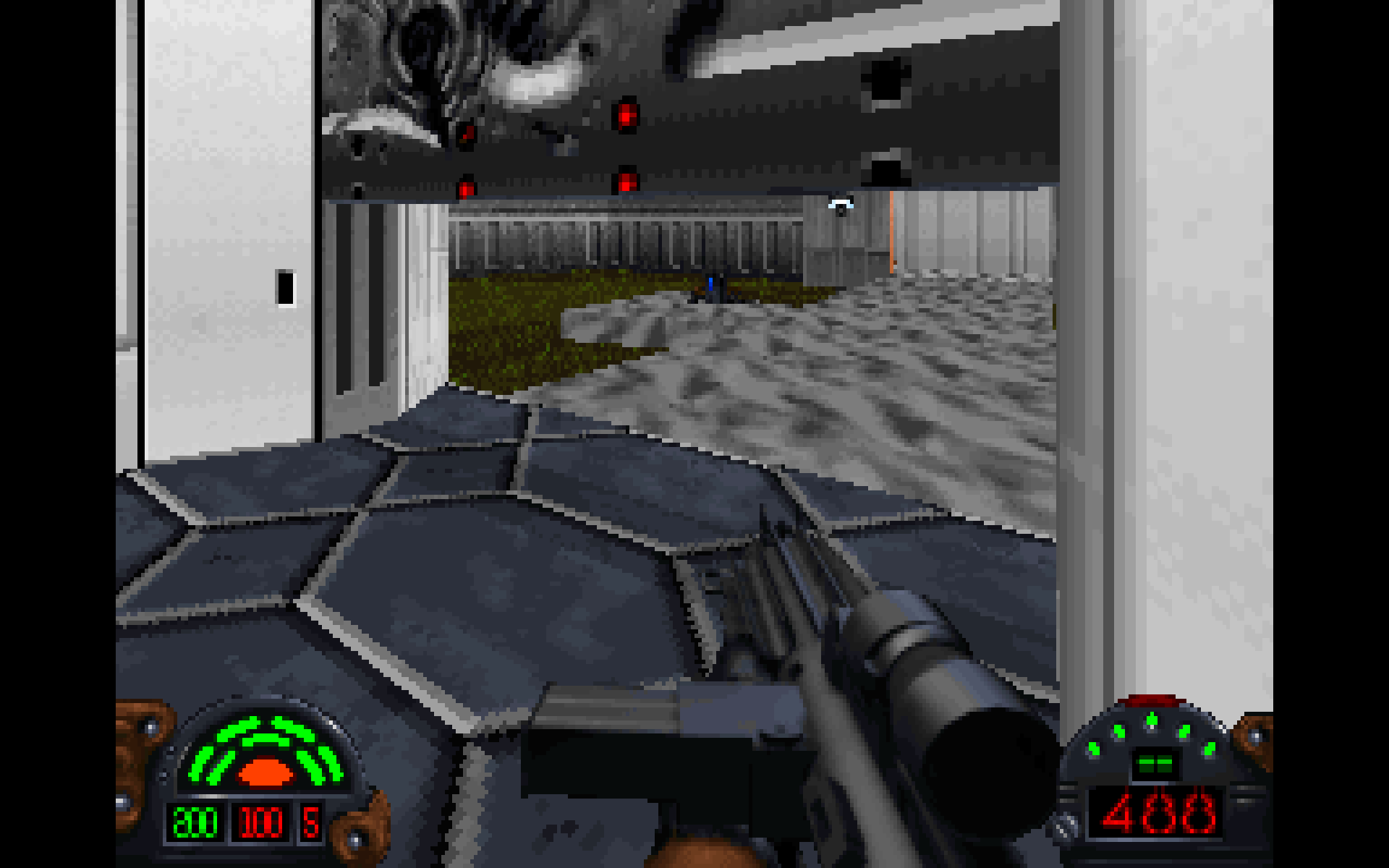
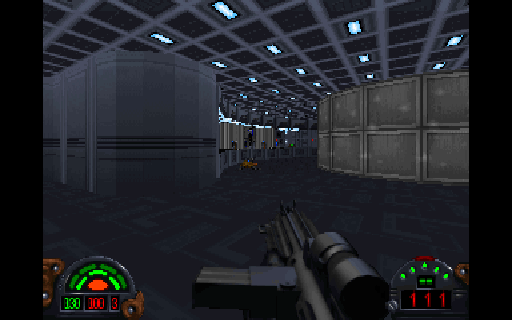
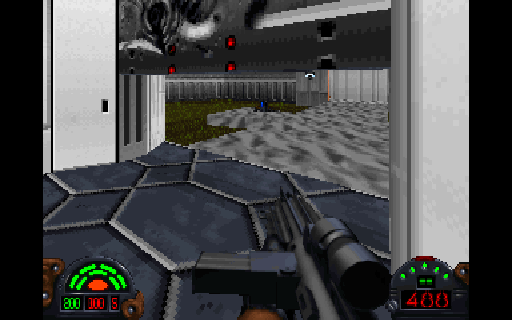
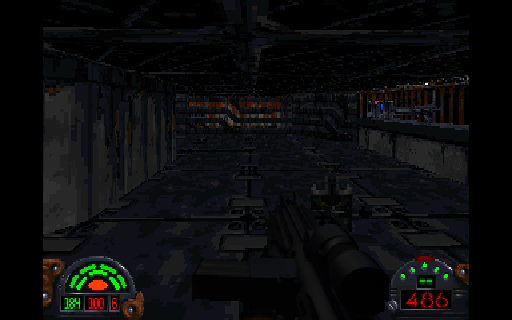
In this mode DarkXL renders the view in 320x200, using the palette and color map for shading. I'm still tweaking the depth cueing, but this gives the same rendered result (except for bugs) as the original game. I will be adding support that would allow sprites to be rendered without clipping into floors and ceilings to finish it off.
It also fits the 320x200 resolution into the selected (ideally native) resolution in a way that preserves the aspect ratio, like Chocolate Doom, rendering pixels with a 5:6 ratio (16:10 fit into a 4:3 space). To avoid as much stretching as possible, the display is letterboxed as needed. With 1600x1200 native resolution or higher, this gives you perfect scaling. With lower resolutions, there may be some fractional scaling on the Y axis, but this isn't generally noticeable (though the X axis is still precise).
In the screenshots, the weapon is not using the colormap/palette for lighting but everything else is. And something weird happens with the ammo text in 320x200. These issues will be fixed.
In the screenshots click on the thumbnails to see the full resolution - you can see what it does to fit the screen to my 1920x1200 widescreen display. Notice that the image is crisp, not blurry due to scaling.
_________________
DarkXL....http://darkxl.wordpress.com |
|
Burning Gundam
Kell Dragon
Joined: 28 Sep 2003
|
| Posted: Nov 20, 2010 18:49 Post subject: |
|
|
Wow, now it REALLY looks old school 
_________________
I don't think outside the box... I customize it. |
|
Jimmy Chicken
Gamorrean
Joined: 09 Dec 2003
|
| Posted: Nov 20, 2010 19:36 Post subject: |
|
|
Are those screens from DarkXL's pure renderer or from the original DF?
I can't even tell them apart anymore, which is a credit to your fine work.
|
|
lucius
DarkXL Developer
Joined: 17 Feb 2008
|
|
BlazingPhoenix
Ree-Yees
Joined: 22 Mar 2008
|
| Posted: Nov 20, 2010 21:44 Post subject: |
|
|
I like this and it's awesome that mouse look works in it too. 
Last edited by BlazingPhoenix on Nov 27, 2010 06:53; edited 1 time in total |
|
Magic_Al
Gamorrean
Joined: 22 Mar 2005
|
| Posted: Nov 20, 2010 22:06 Post subject: |
|
|
Would it be relatively easy to add a 640x480 "Pure Mac" mode, with the game rendering at 640x400 and the HUD over a black bar in the bottom 80?
_________________
----- MagicAl`s DARK FORCES Niche -----
http://homepage.mac.com/anewmanagn/magic_al/
Armed only with a blaster pistol and an intimate knowledge of
Imperial methods, MagicAl prepares to go to lunch.... |
|
klasodeth
Trandoshan
Joined: 03 Mar 2008
|
|
Jimmy Chicken
Gamorrean
Joined: 09 Dec 2003
|
|
lucius
DarkXL Developer
Joined: 17 Feb 2008
|
|
Barry Brien
Dark Trooper Phase 1
Joined: 26 Sep 2003
|
| Posted: Nov 30, 2010 16:31 Post subject: |
|
|
Wow, that looks great.
|
|
|